

- AI-powered development tools
- Code completion and AI assistance platforms
- Team-based coding environments with AI-driven automation
In addition, Cursor provides usage-based metering for:
- AI completions
- Premium requests (fast and slow)
-
Define Features in Flexprice
Flexprice allows you to define different types of features to enable precise billing and usage tracking for Cursor’s pricing model.
Metered Features These features track usage over time and are billed based on consumption.Boolean Features (On/Off Toggle)
These features enable or disable specific functionality without tracking usage.Static Features
These features are always included in a specific plan and do not change based on usage. -
Create ** Plans for Subscription Tiers**
-
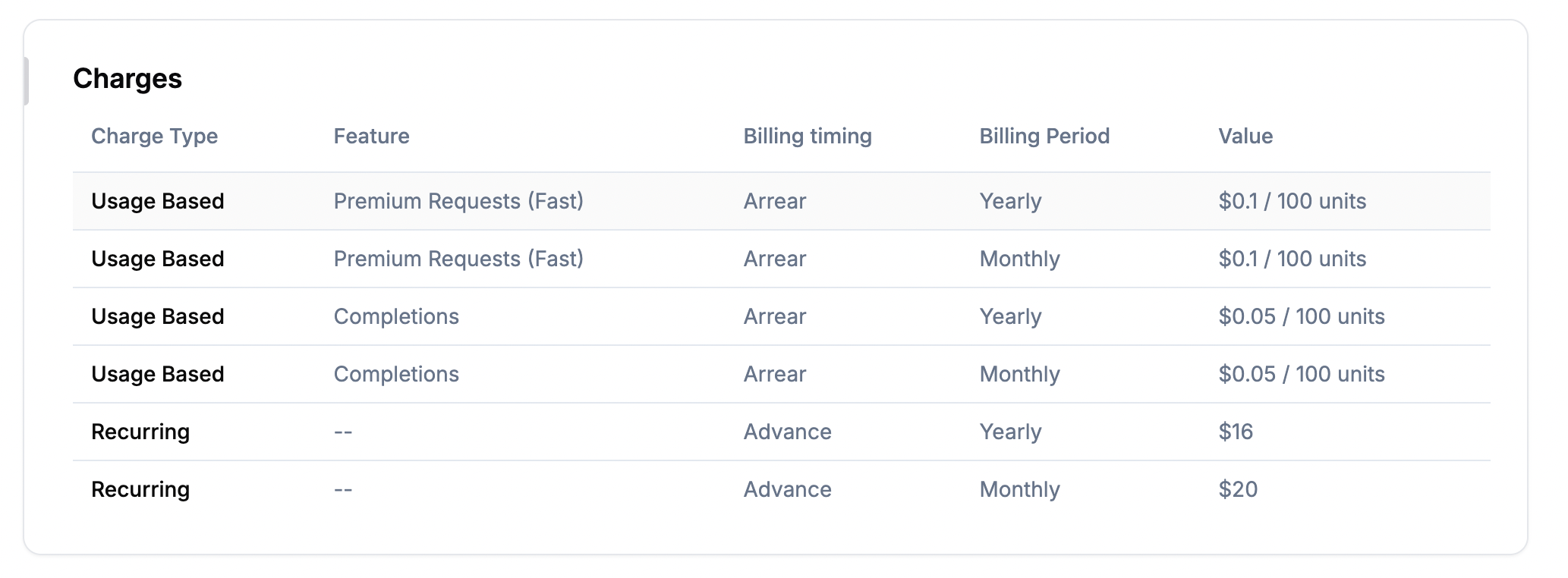
Each of Cursor’s plans can be created as a recurring charges in Flexprice:
-
Define usage-based charges along with recurring charges\
-
Each of Cursor’s plans can be created as a recurring charges in Flexprice: