

-
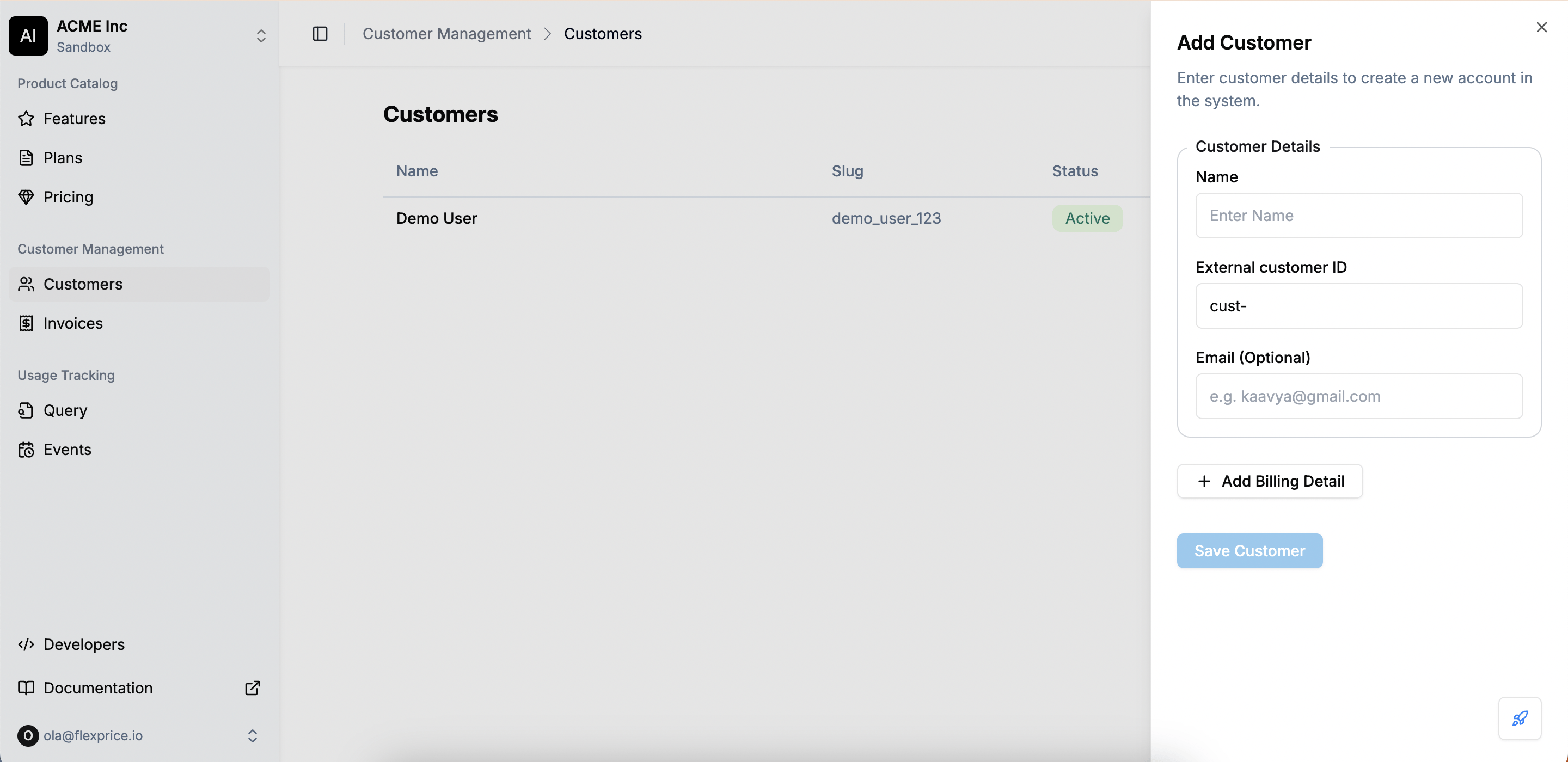
Click on ”+ Add”. This opens the Add Customer form
-
Enter Customer Details
- Name: The name of the customer.
- External Customer ID: A unique identifier (useful for mapping to external systems).
- Email (Optional): Customer’s contact email for invoices and notifications.
-
Click on Add Billing Details (Optional) and enter:
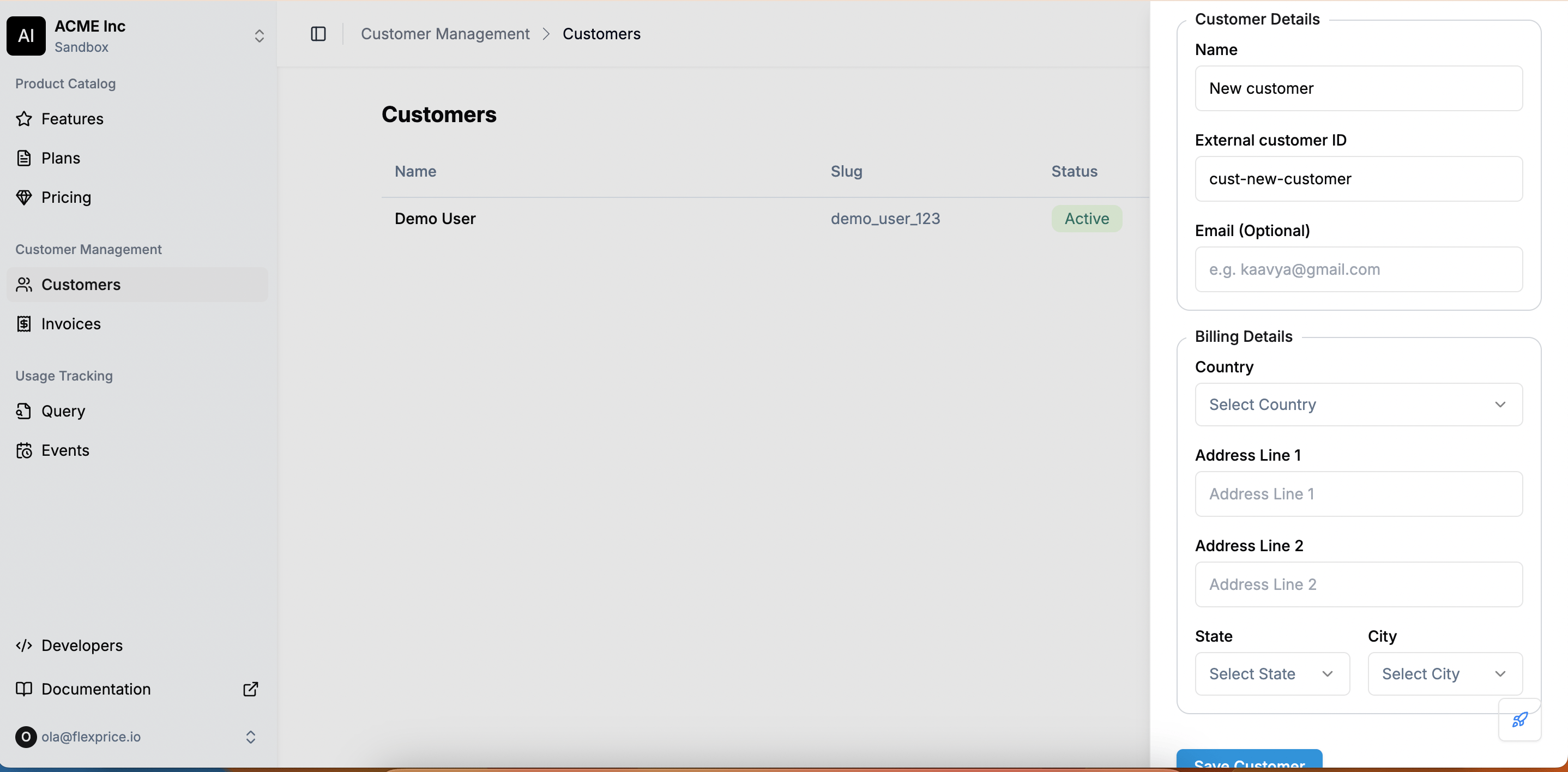
- Country: The country for tax and compliance purposes.
- Address Line 1 & 2: The billing address.
- State & City: The customer’s location.
-
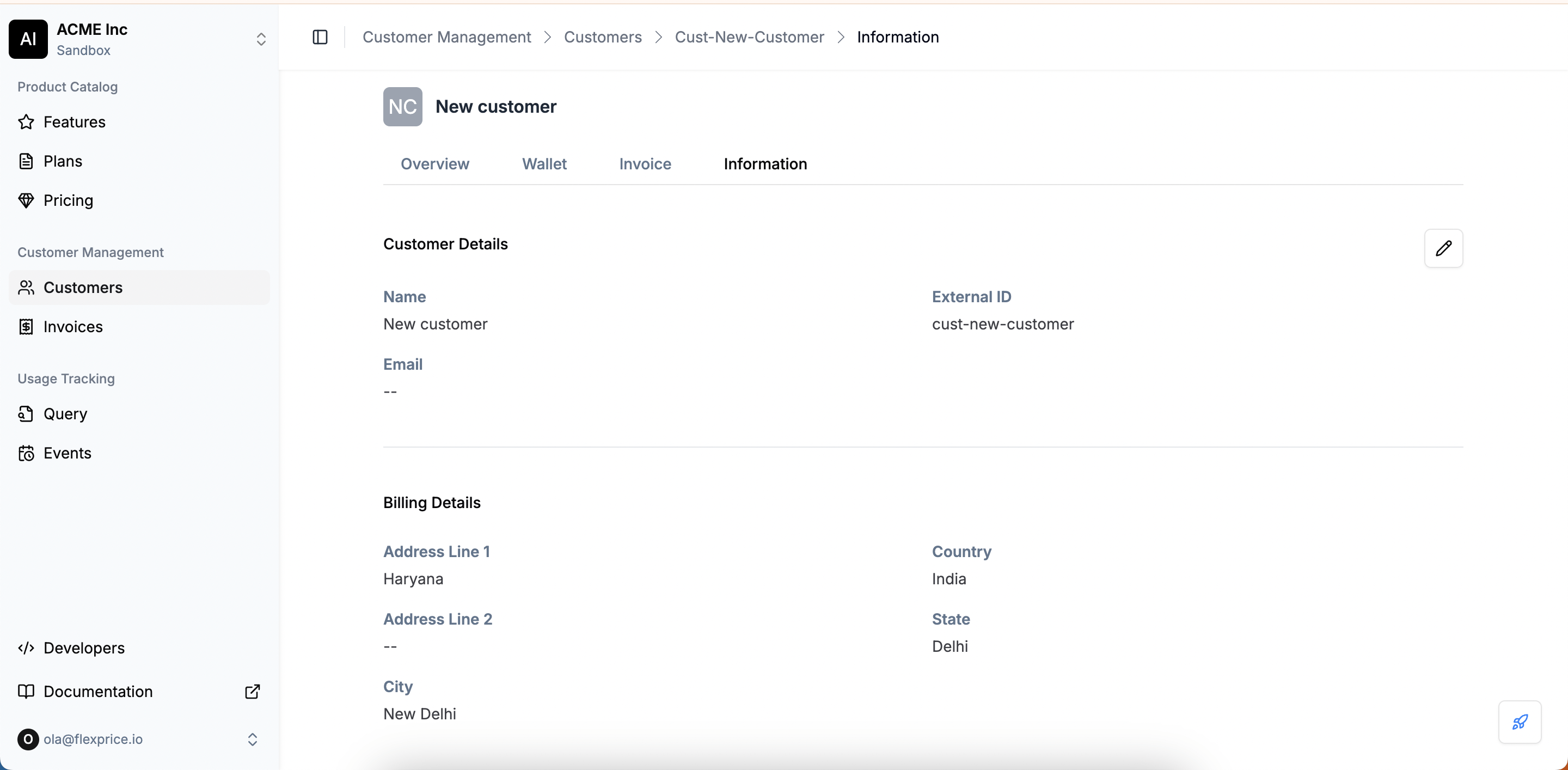
Click on Save Customer to complete the process.
Customers
Creating a customer
Create a customer from the Flexprice dashboard with a name, external customer ID and optional email, then add billing details like country and address as needed
To create a new customer in Flexprice, follow these steps:
Navigate to the customers dashboard by clicking on Customers from the left navigation panel.