

- Go to the Customers section in the dashboard.
- Select the desired customer.
- Navigate to the Wallet tab in the customer’s profile.
-
If no wallet exists for the customer, you will see a message: “No wallet linked to the customer yet.”
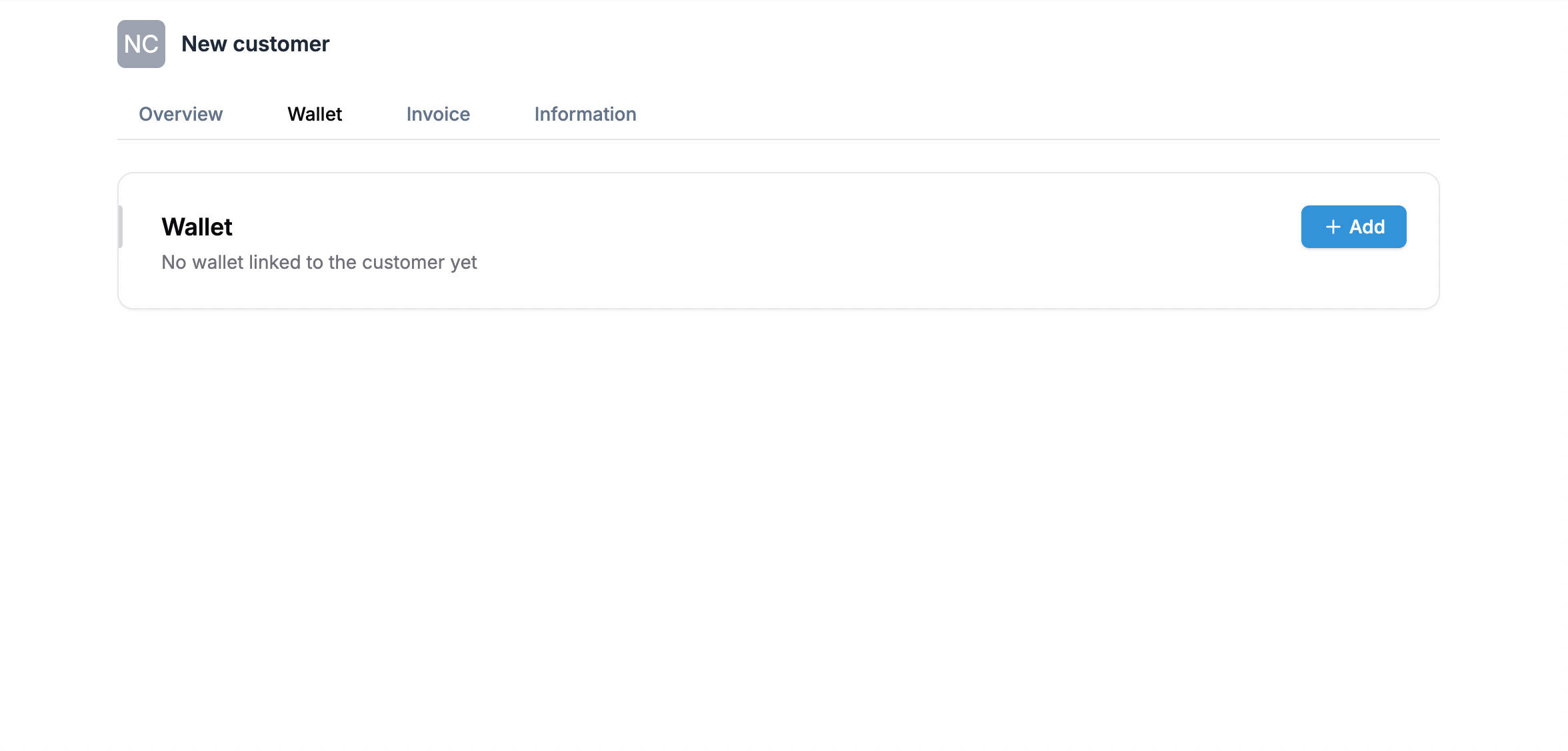
- Click the Add Wallet button to open the wallet creation form.
-
Fill out the following details:
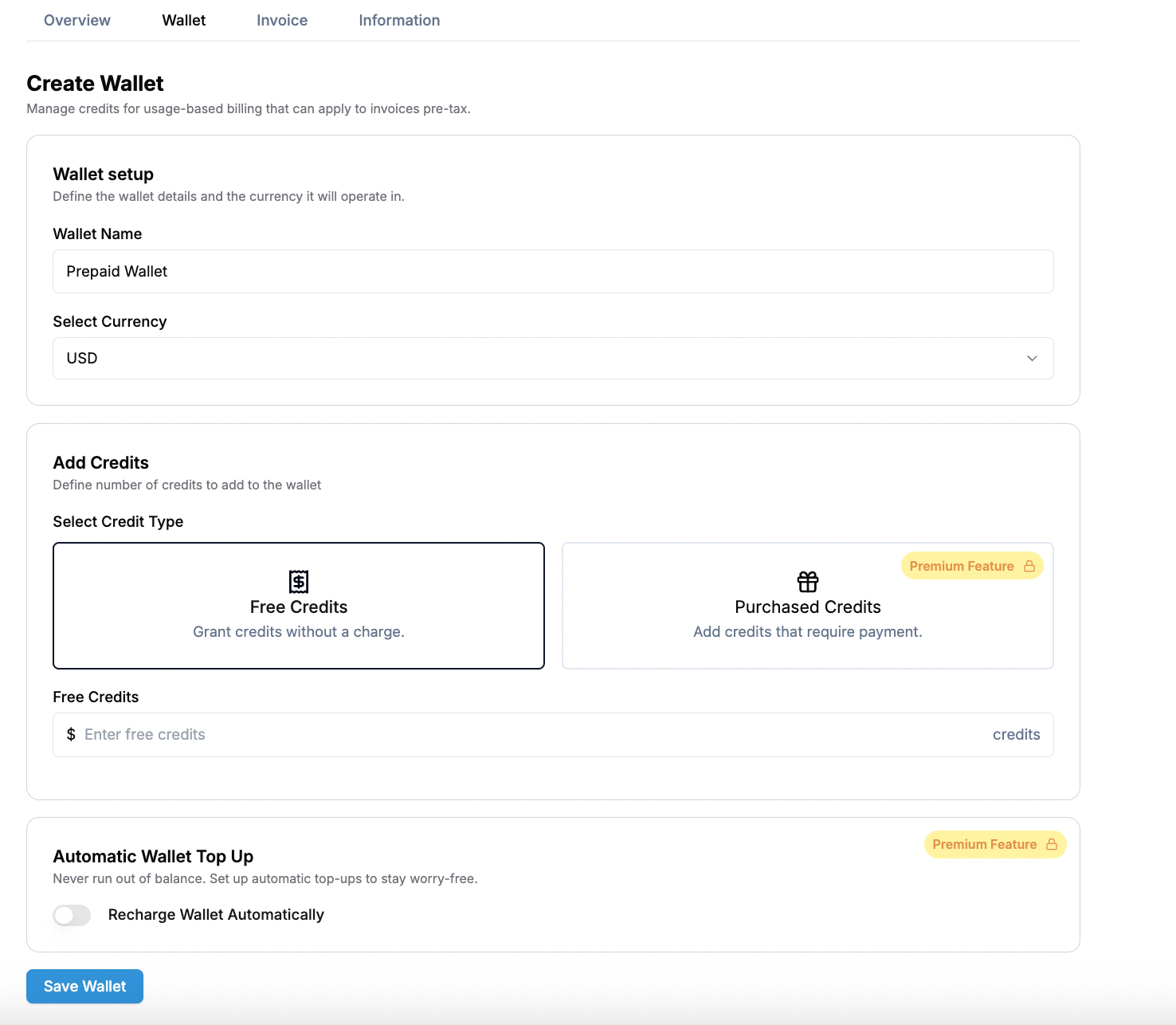
- Wallet Name: Assign a name to the wallet. By default, it will be “Prepaid Wallet.”
- Currency: Select the currency in which this wallet will operate (e.g., USD, INR). Note: Only one active wallet per currency is allowed for a customer. If a wallet for the selected currency already exists, you must deactivate it before creating a new one.
- Currently, only Free Credits can be added. These credits do not generate an invoice, as they are granted without charge. Also, the credit-to-currency ratio is 1:1 (e.g., 1 credit equals 1 USD or 1 INR)
- Click Save Wallet to finalise the creation process.
-
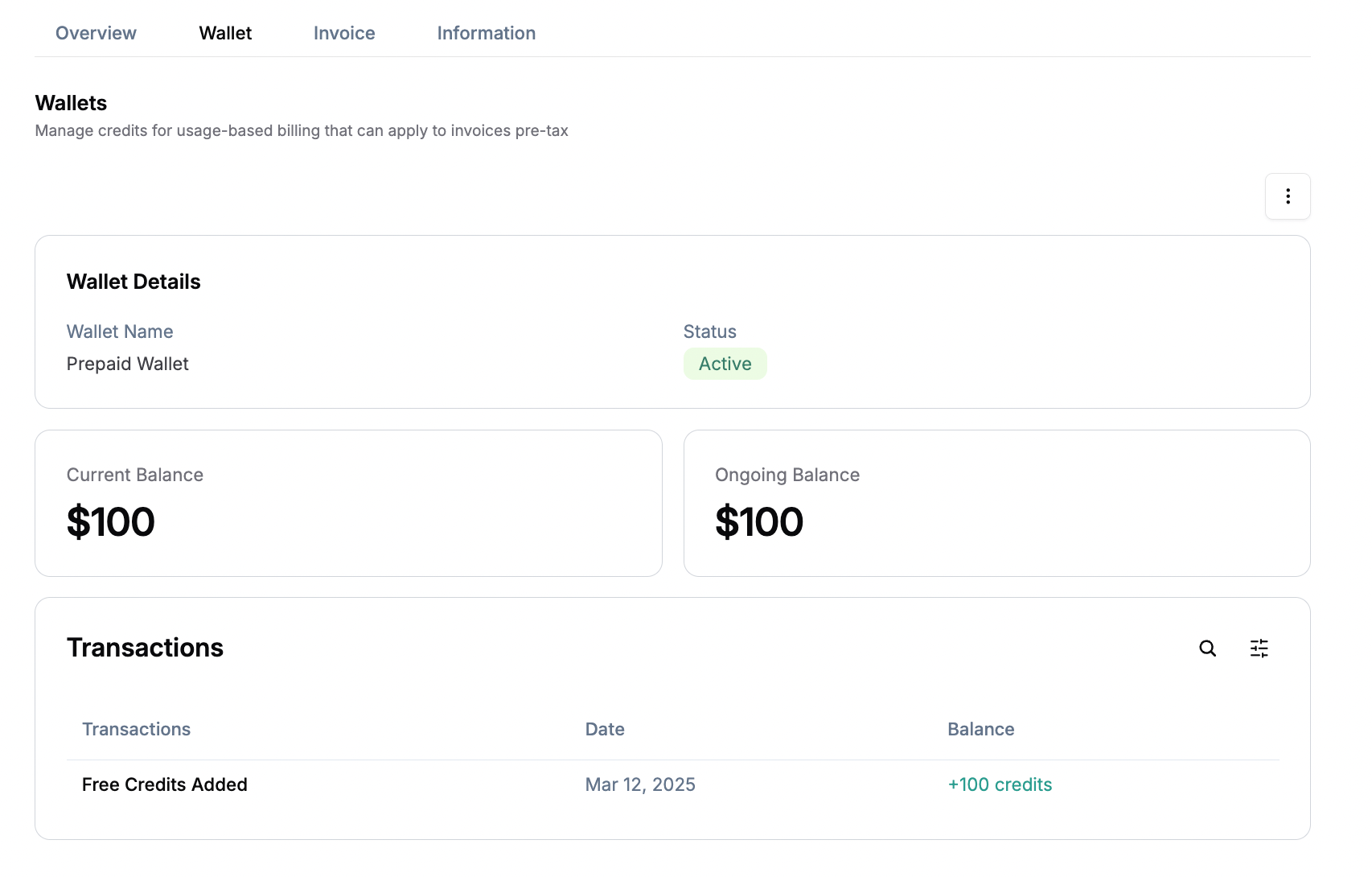
The wallet will now appear in the Wallet tab for the customer, showing the balance and available credits.
Wallets
Creating a wallet
Create a prepaid credit wallet for a customer from the Flexprice dashboard, choosing its name and currency, with one active wallet allowed per currency
A wallet in Flexprice acts as a virtual account linked to a customer. It allows for storing and managing credits that can be applied toward subscription payments, usage-based charges, or other transactions.
Flexprice enable you to manage prepaid credits for your customers. These are credits added to a wallet and can be consumed for billing purposes. Wallets ensure an efficient and transparent mechanism for credit handling, aligning with subscription and usage-based pricing models. Wallets operate in a defined currency and can be topped up manually or automatically.
Creating a Wallet