

Overview
Progressive billing lets you set a usage amount threshold on a subscription. When the customer’s billed usage for the current period reaches that amount, FlexPrice automatically creates and finalizes a mid-period invoice without waiting for the period to end. This is useful for high-volume customers where waiting until period end creates cash flow or fraud risk.How It Works
- You set
auto_invoice_thresholdon a subscription (e.g. $500). - FlexPrice evaluates usage every 5 minutes against the current window (
current_period_start→ now). - When usage ≥ threshold, a mid-period invoice is created and finalized immediately.
current_period_startadvances to the moment the invoice was issued;current_period_endremains unchanged. Usage resets for the new sub-window and the threshold applies fresh.- At period end, a normal invoice is issued for remaining usage.
Only arrear usage charges count toward the threshold. Fixed or advance
charges are excluded. The invoice amount may slightly exceed the threshold
since evaluation happens on a 5-minute interval, not in real time.
Configuring Progressive Billing
- Dashboard
- API
- Navigate to the Subscriptions section and open or create a subscription.
- Locate the Auto invoice threshold section (progressive billing).
- Enter your threshold amount.
- Save the subscription.
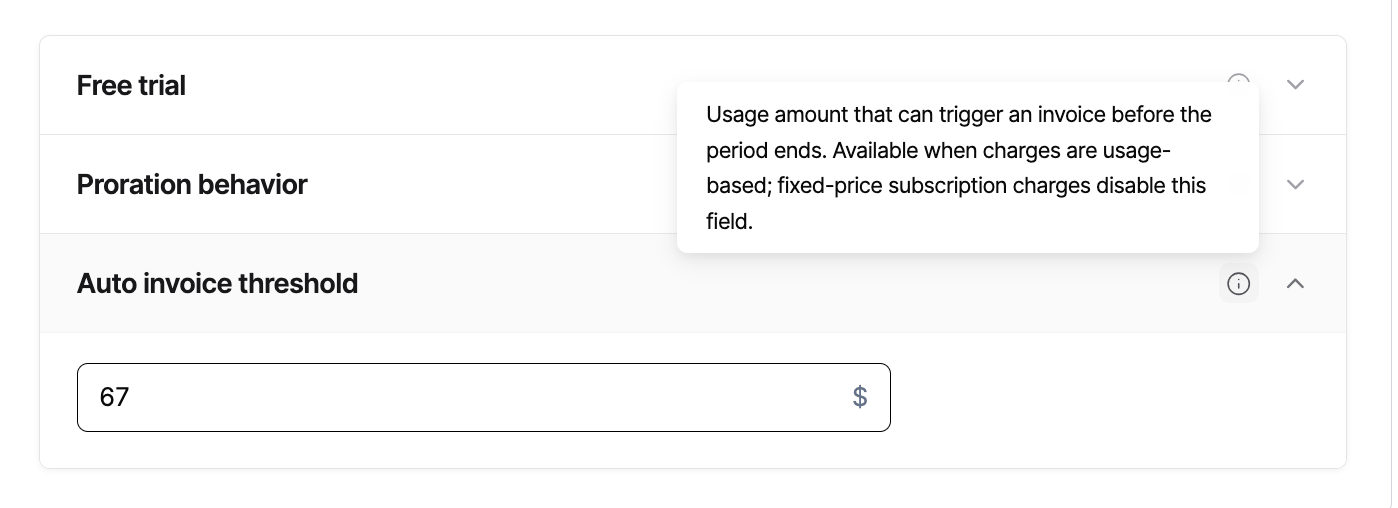
auto_invoice_threshold is set at the subscription level, not the plan level.
Each subscription can have its own threshold.Invoicing Behavior
API Reference
Subscription create fields
Subscription response fields
Webhooks & Events
No new webhook event type is introduced for progressive billing. Standard invoice events fire when a threshold invoice is created and finalized. Use thebilling_reason field on the invoice object to identify threshold-triggered invoices:
The
billing_reason on threshold invoices is AUTO_INVOICE_THRESHOLD.
Best Practices
Set thresholds proportional to expected spend. A threshold at 50 to 80% of expected monthly spend avoids too-frequent invoices while still providing early billing signals. Ensure your payment method handles mid-period invoices. Invoices created via progressive billing are finalized immediately. Make sure your payment collection flow can process charges outside the normal billing cycle. Monitor via invoice webhooks. No new webhook event type is introduced for progressive billing. Listen to standard invoice creation and finalization events; the invoice billing reason isAUTO_INVOICE_THRESHOLD, which you can use to distinguish these from regular period-end invoices.
Do not rely on real-time triggering. There is up to a 5-minute delay between crossing the threshold and invoice creation. Do not use progressive billing for hard real-time spend caps.