

How It Works
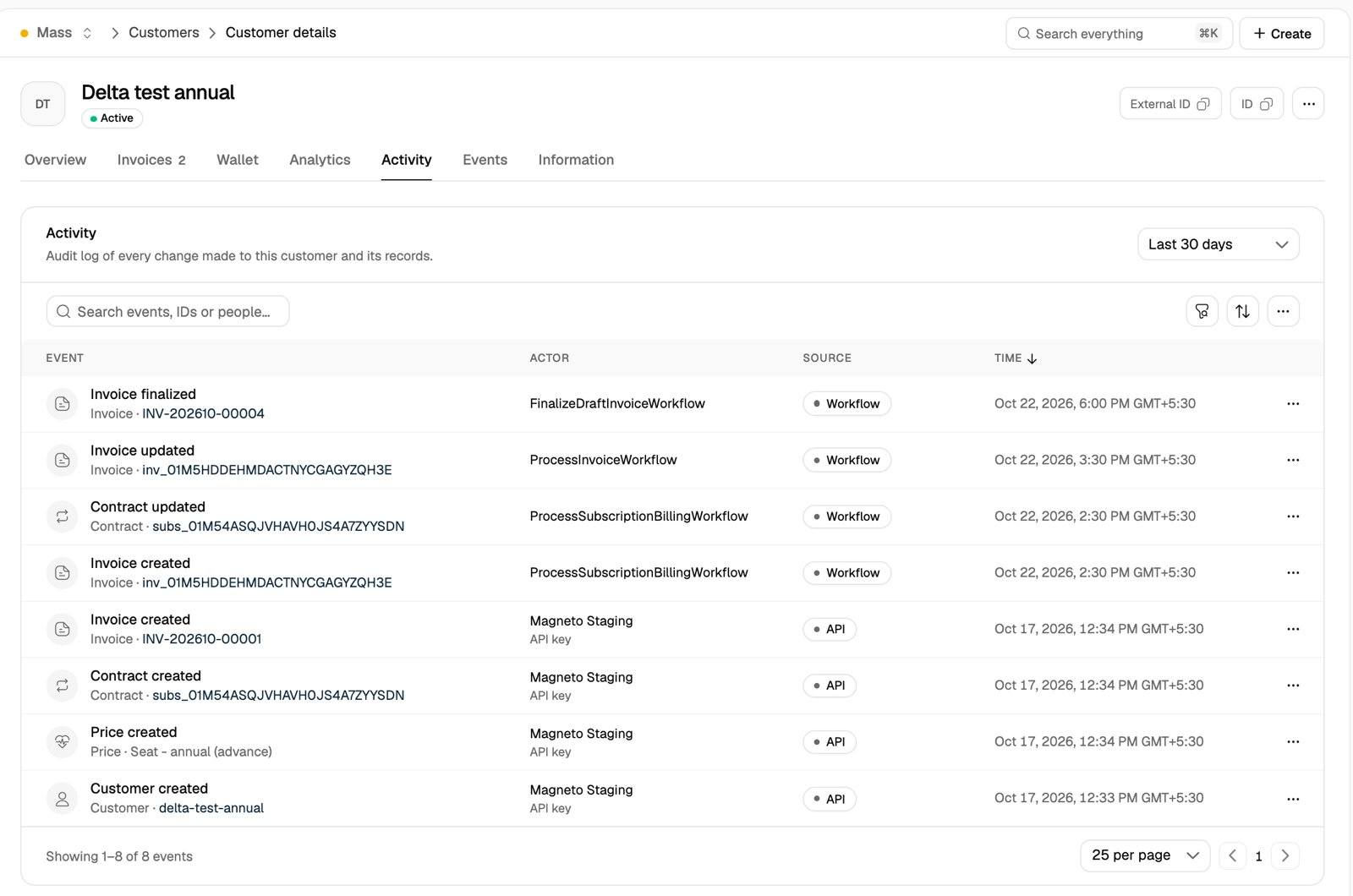
- Recorded automatically: Flexprice records an event whenever a tracked record is created or changed, from any channel. There is nothing to turn on.
- One event per change: each event names the action (for example, Invoice finalized), the record it applies to and the time of the change.
- Who made the change: the actor is a person signed in to the dashboard, an API key, the customer (through the customer portal) or the system, such as a scheduled billing run.
- Where it came from: the source is the channel the change came through: Dashboard, API, Customer portal, Hosted invoice, Webhook, Workflow or Consumer.
- State after the change: each event keeps the record as it stood right after the change, so you can see what an invoice total or a contract status was at that moment.
- Newest first: events are listed from the most recent change backwards.
What Is Recorded
A customer’s activity covers the customer and the records that belong to it:
Changes to plans, features and catalog prices are recorded too, but they belong to no customer, so they do not appear on a customer’s activity. Read them with the API.
Customer events leave out the customer’s personal details: name, email, phone, contacts and address.
metadata is left out of every record. A change to only those fields is still recorded as an event, but its state shows no difference.Viewing Activity in the Dashboard
Open a customer under Customers and select the Activity tab. The table shows each event with its record, actor, source and time. Select a record name to open that invoice, contract or other record. The Activity card on the customer’s Overview tab shows the latest events. View all opens the Activity tab.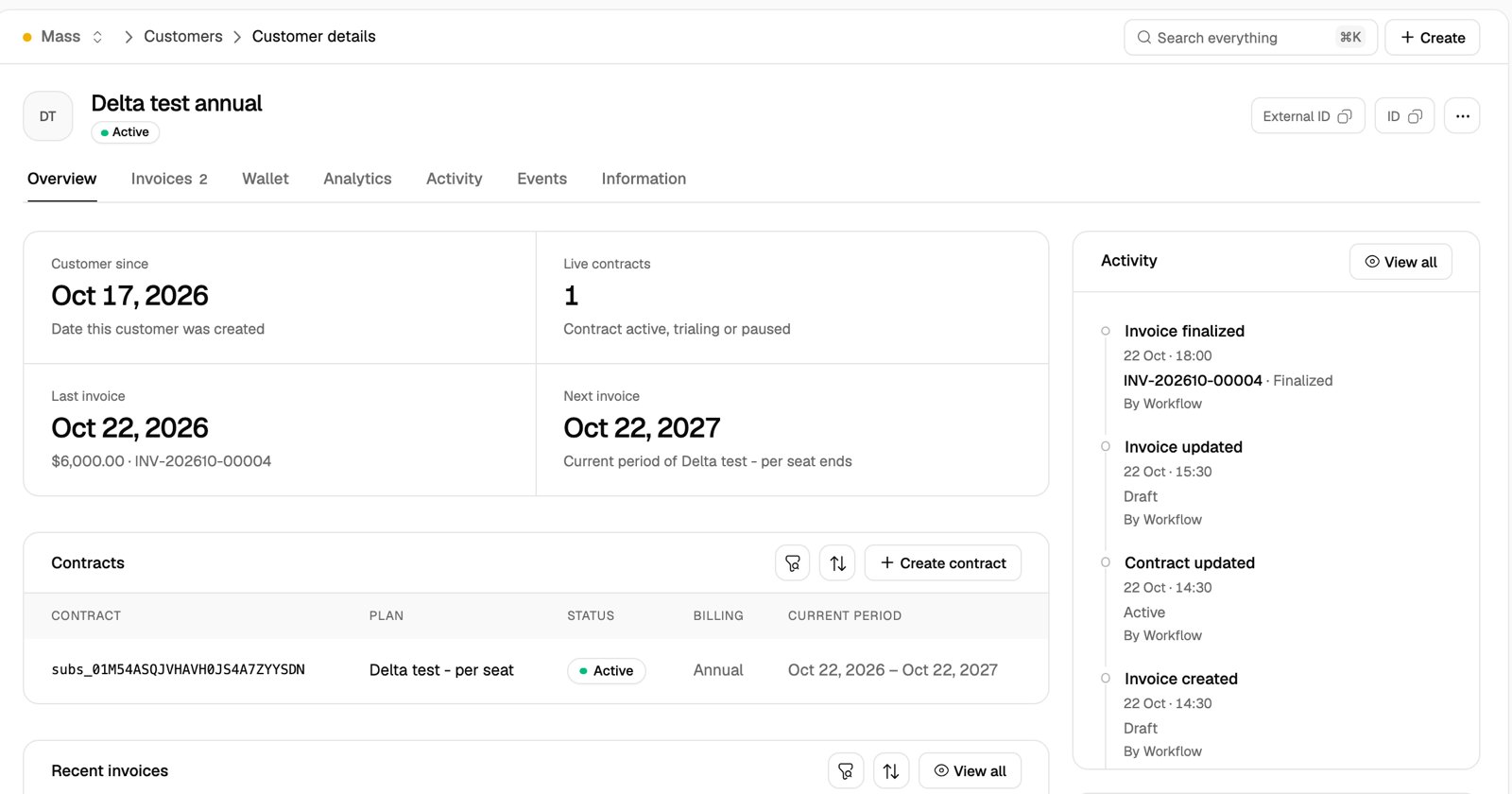
Filtering
- Date range: the menu at the top right picks Last 24 hours, Last 7 days, Last 30 days (the default) or a Custom range. A custom range covers up to 30 days and can start up to one year back.
- Filters: the filter button adds rules on Action (for example, Invoice voided), Actor (People, API keys, Customers or System), Person (one team member) and Source.
- Search: the search box matches event titles, record names, actors and IDs, including request and event IDs.
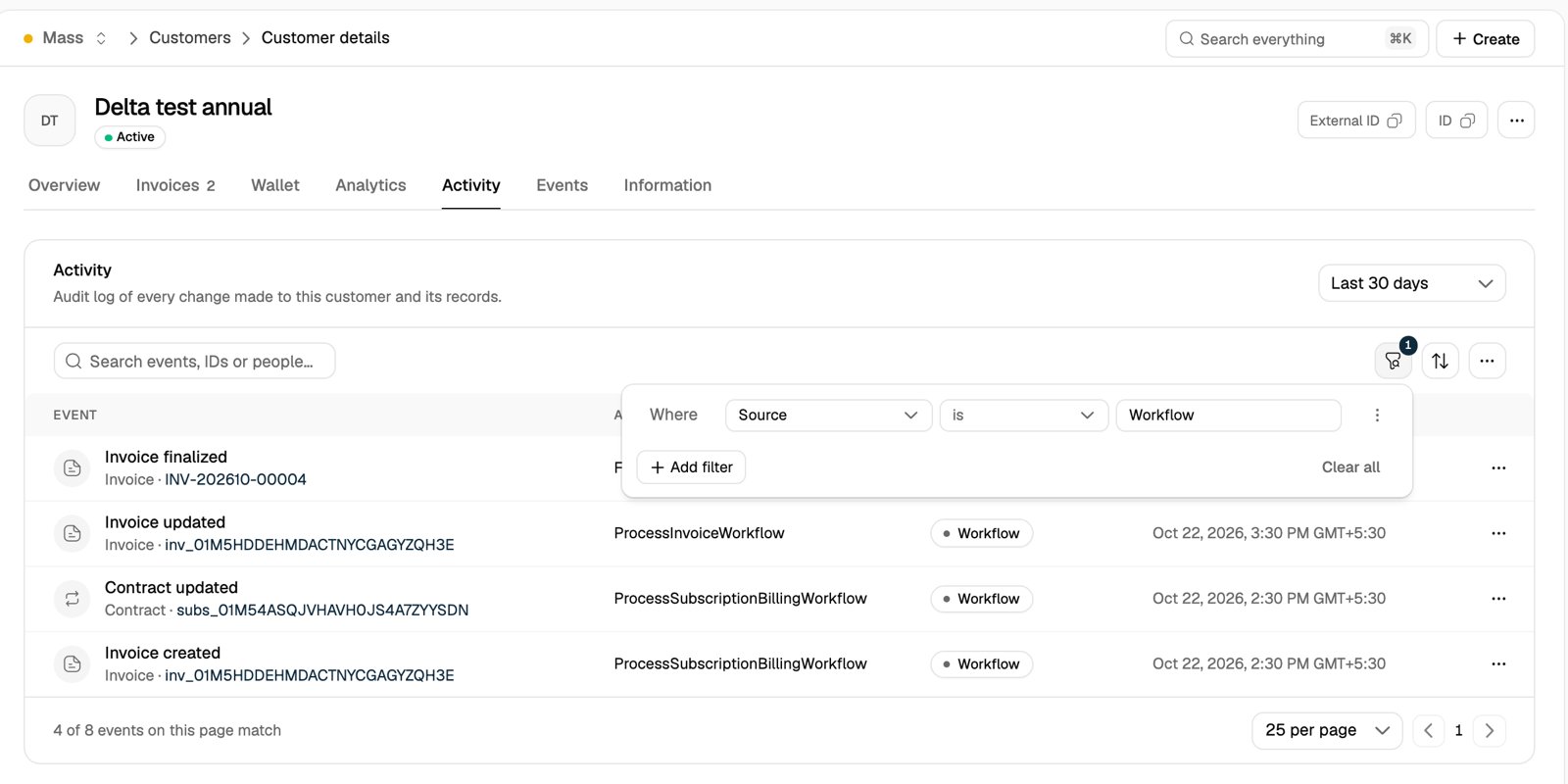
Search and the Source filter narrow the events on the current page. The footer shows how many of them match. Date range, Action, Actor and Person apply to the customer’s full history.
Event details
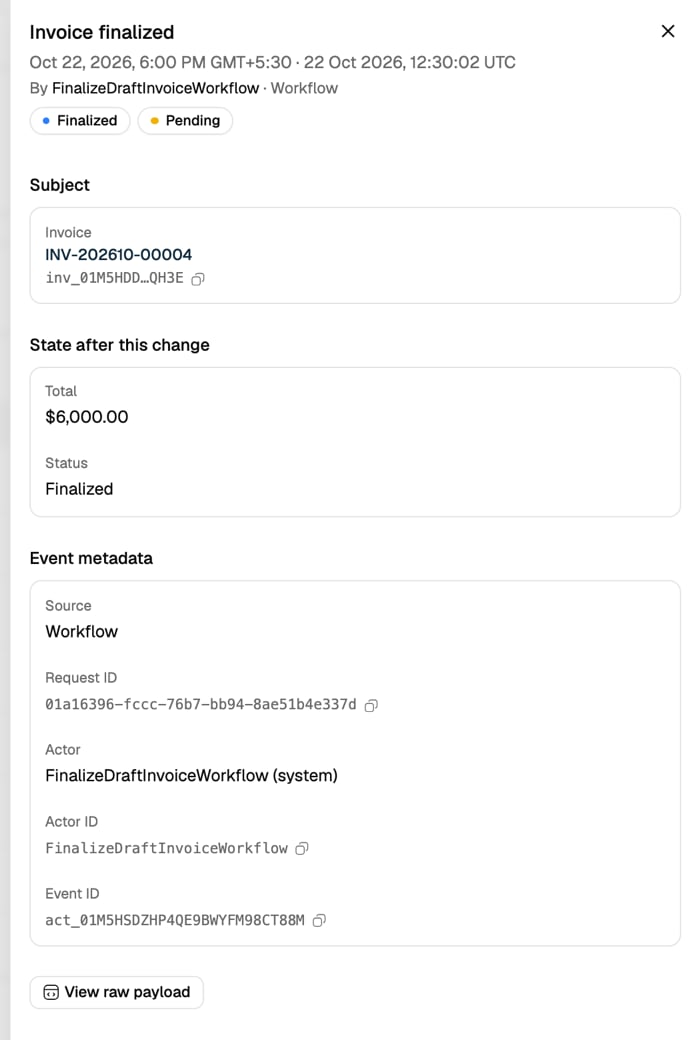
Select an event to open its details:- Subject: the record the event applies to, with its ID.
- State after this change: the key values of the record right after the change, such as an invoice’s total and status.
- Event metadata: the source, the request ID, the actor and their ID, the event ID, and the IP address and user agent for changes made over HTTP.
- View raw payload: the full event as JSON, including the complete record state.
From the API
List events withPOST /v1/activity. Every filter is optional. This request lists the invoices voided for one customer in October:
Filters
Action names use the API’s record names:
subscription for contracts and credit_note for credit memos.
Pagination
Results are newest first. Whenpagination.has_more is true, send the same request with cursor set to pagination.next_cursor to get the next page.
One event
GET /v1/activity/{id} returns one event with the record’s state after the change:
all_reader role. See Roles.
Related Articles
Customers
Create and manage the customers you bill.
Managing Invoices
View, update and void invoices.
Role-Based Access Control
Control which people and API keys can read billing data.
Webhooks
Get notified of billing events as they happen.