

Autopay requires an active Moyasar connection with a valid Secret Key, Publishable Key, and Webhook Secret. See Moyasar Connection Setup before proceeding.
How it Works
1
Setup intent is created
Flexprice creates a payment record to track the card save attempt and returns a secure checkout URL.
2
Customer enters card details
The customer is redirected to the Flexprice checkout page and enters their card number, expiry, and CVC.
3
Card verified
Flexprice runs a 1 SAR verification charge to confirm the card is valid. Once confirmed, the charge is voided immediately. If the void fails, Flexprice issues a refund automatically. The customer is not charged.
4
Card saved
Flexprice receives confirmation, extracts the reusable card token, and saves it as an active payment method linked to the customer.
5
Invoices charged automatically
When a new invoice is generated for the customer, Flexprice charges the saved card directly. No redirect or manual payment step is required.
Setting Up Autopay for a Customer
Using the Flexprice Dashboard
1
Open the customer detail page
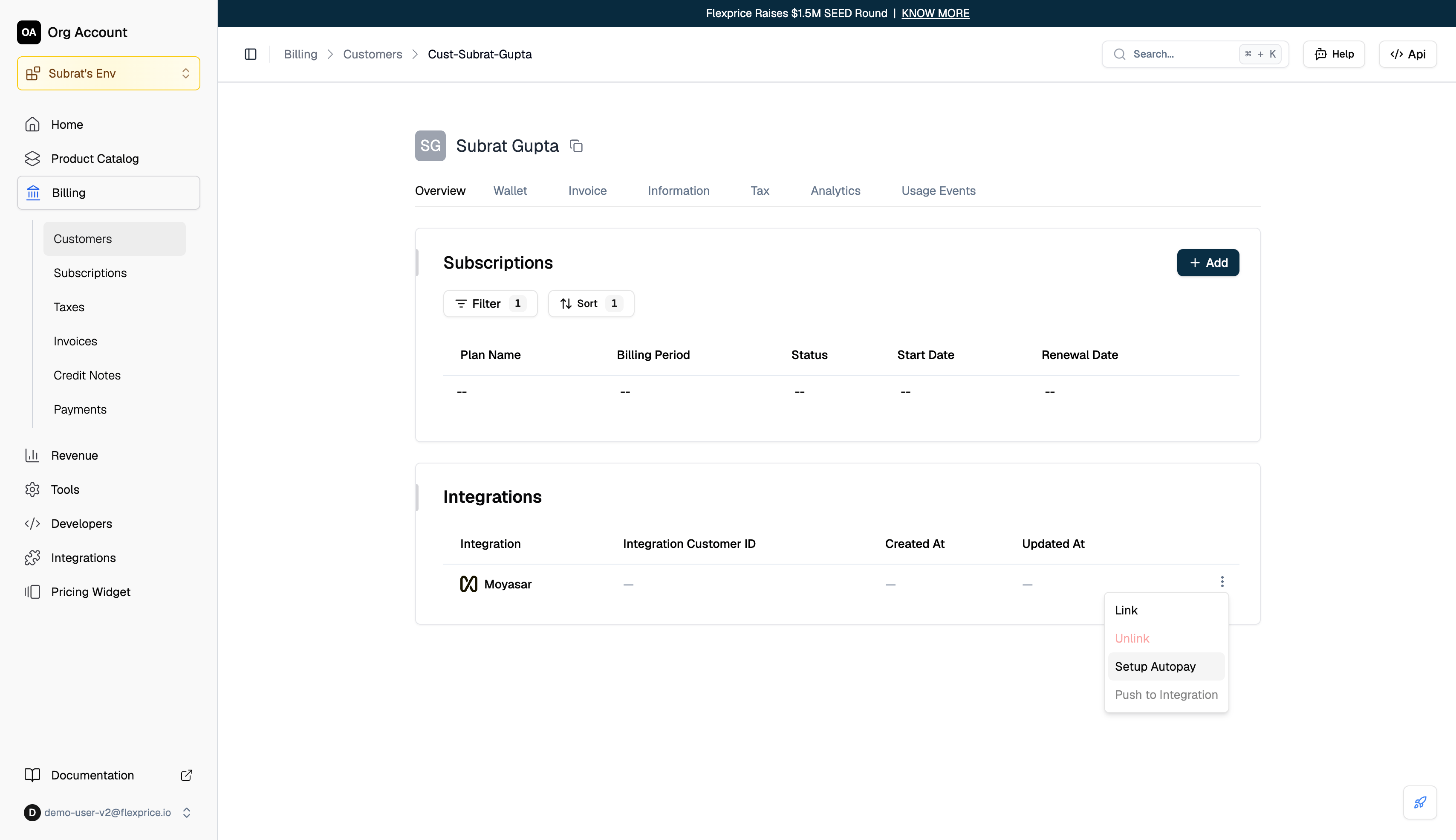
Go to Billing → Customers and select the customer.
2
Create a setup intent
In the Integrations section, locate the Moyasar entry and click Setup Autopay.
Using the API
Response:
checkout_url. The JWT embedded in the URL expires after 2 hours.
Card Entry
The customer is taken to the Flexprice checkout page where they enter their card details.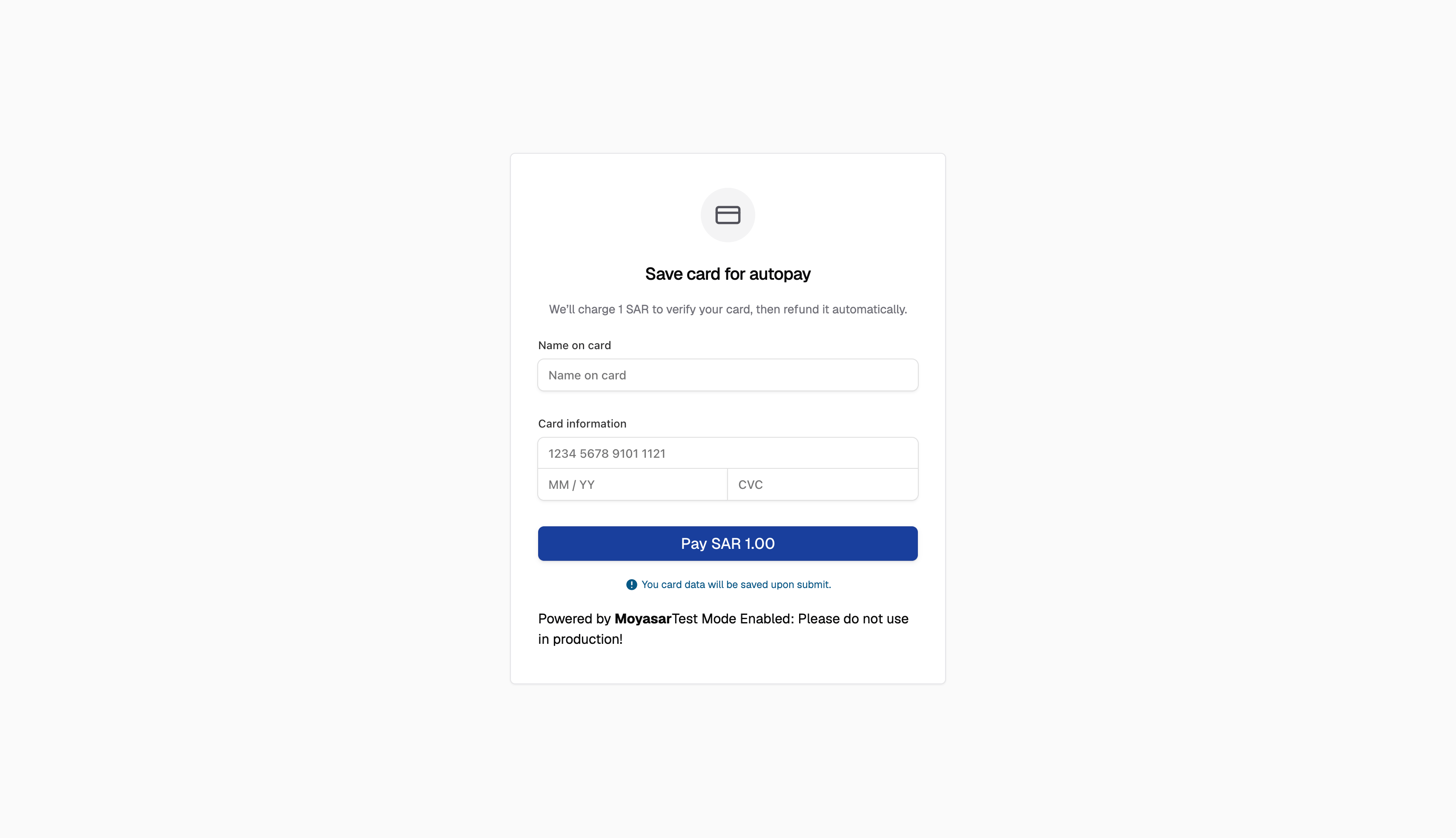

Payment Tracking
Every autopay attempt is tracked as a payment record in Flexprice from the moment the setup intent is created. Each invoice charge attempt also creates its own record, so you can see exactly which invoices were collected automatically.
Payment Status
Automatic Invoice Charging
Once a customer has a saved payment method, Flexprice charges it automatically when a new invoice is generated.1
Invoice is generated
A new invoice is created for the customer.
2
Payment method lookup
Flexprice looks for the customer’s default saved payment method. If no default is set, the most recently added active payment method is used.
3
Card charged
If a valid saved method is found, Flexprice creates a charge request using the stored token. The customer does not need to take any action.
4
Fallback
If no active saved payment method exists, Flexprice falls back to the invoice-link flow. See Moyasar Invoice Synchronization.
5
Invoice marked paid
When the charge is confirmed, Flexprice marks the invoice as
PAID.